
Table of Contents
Introduction
If someone searches for your business type in your city right now, would they even find you? For most local businesses, the honest answer depends entirely on one free tool most owners underuse. Google My Business is often the very first impression a potential customer forms about you, long before they visit your website or walk into your store. This blog breaks down what it actually is, how it works, and why setting it up properly can quietly become one of the highest-return marketing decisions you make this year.
Many small business owners assume a website alone is enough to be found online. In reality, a huge portion of everyday searches never even reach a website; they stop right at the search results page, where a local listing with photos, hours, and reviews already answers the searcher’s question. Understanding this tool properly, and using it well, can be the difference between a customer choosing you or scrolling straight past you to a competitor listed just above.
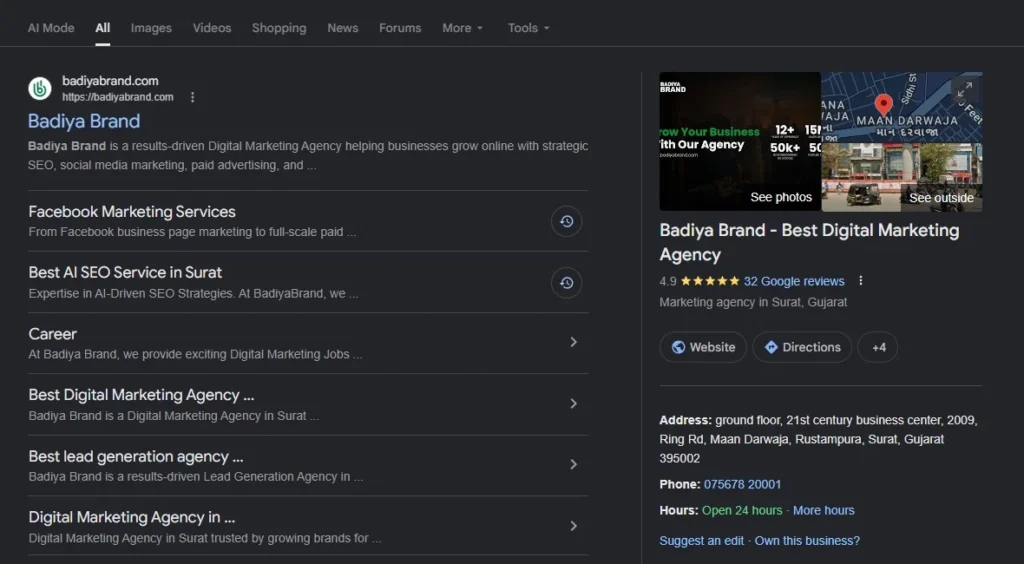
What Is Google My Business (GMB)?
A Simple Definition in Plain Words
Google Business Profile vs Google My Business
Where It Appears
How Does Google My Business Work?
Getting started involves creating a free account, entering your business category, address, and contact details, and choosing whether customers visit your location or you serve them elsewhere. Google then uses this information, combined with searcher location and intent, to decide when and where your listing appears.
Before your listing goes fully live, Google usually verifies that your business is real and located where you claim. This can happen through a postcard mailed to your address, a phone call, an email, or sometimes instant verification if you are already listed with the Google Search Console for your domain. Verification typically takes anywhere from a few days to two weeks, depending on the method.
It helps to treat this step seriously rather than rushing through it. An unverified or incorrectly verified listing may show limited features, appear lower in local results, or in some cases get flagged and suspended altogether. Double-checking your address and contact details before submitting for verification saves a lot of back-and-forth later.
Why Do You Need to Google My Business?
A Simple Definition in Plain Words
A huge share of searches today have local intent, meaning people are looking for something nearby right now. Businesses without an optimized listing often lose that visibility entirely to competitors who took the time to set theirs up properly. This single reason is why Google My Business has become close to essential rather than optional for anyone serving a local audience.
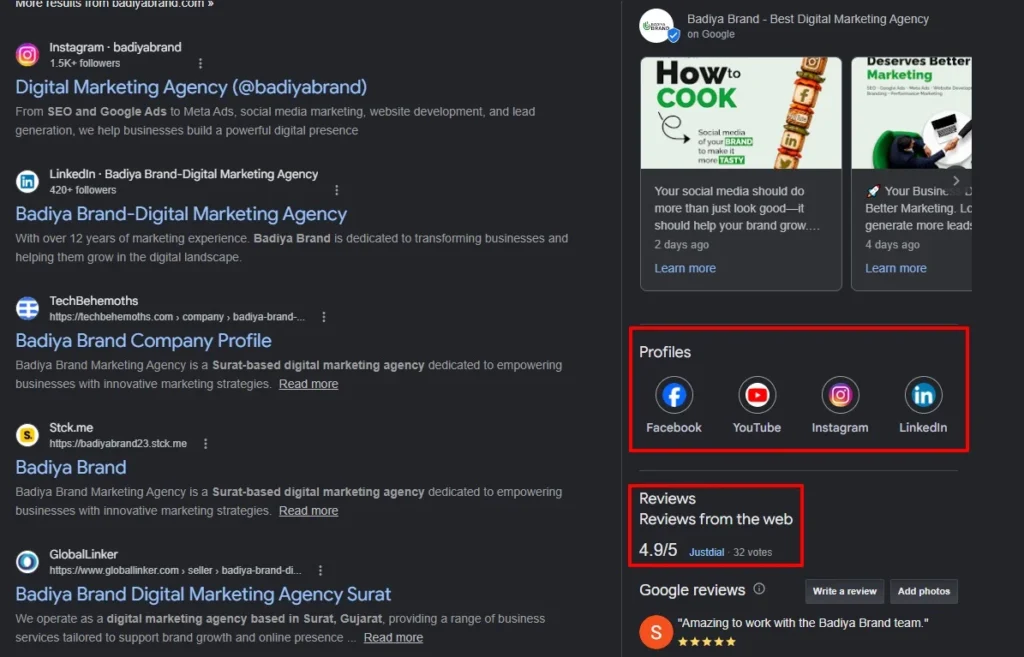
This visibility also compounds over time. As your listing gathers more reviews, photos, and consistent activity, Google tends to trust it more and shows it more often in relevant local searches, creating a snowball effect that pure paid advertising rarely offers on its own.
It Builds Trust Through Reviews and Ratings
It's a Cost-Effective Marketing Channel
Key Features Worth Knowing
This platform includes several features that go beyond a basic listing, and understanding them helps you use the tool to its full potential:
- Business information such as hours, address, and contact details
- Photos and short posts to showcase products or updates
- A customer review and public Q&A section
- Insights showing how people found and interacted with your listing
Each of these features plays a role in how visible and trustworthy your profile appears to someone searching.
Benefits Across Different Business Types
Local Shops and Service Providers
Restaurants and Cafes
Professional Services
How to Set Up Google My Business
Start by claiming your business on the platform, selecting the most accurate category, and filling every available field rather than leaving gaps. Incomplete profiles rank lower and appear less trustworthy than fully detailed ones.
Once live, regularly add fresh photos, respond to every review, and post updates about offers or changes. Google tends to favour active, well-maintained listings over static ones that haven’t been touched in months, which directly affects how often you appear in local search results.
It also helps to add relevant keywords naturally within your business description and posts, mirroring the exact phrases customers might use when searching for what you offer. Pair this with accurate business hours during holidays and special events, since incorrect hours are one of the fastest ways to lose a customer’s trust before they even arrive.
Conclusion
Setting up and maintaining a strong presence here is not a one-time task; it is an ongoing part of your local marketing efforts that compounds in value over time. Google My Business gives you visibility, trust, and a direct line to nearby customers, all without any advertising spend. If you have not claimed or optimized yours yet, now is genuinely the right time to start.
Think of it less as a one-time checklist item and more as a living part of your brand’s online presence, one that needs the same attention you would give your website or social media pages. Small, consistent updates over months add up to a listing that consistently outranks competitors who treat theirs as a set-and-forget task.
If managing this alongside everything else on your plate feels like too much, BadiyaBrand can set up, verify, and optimize your local business profile so it consistently brings in the right customers. Get in touch with BadiyaBrand today and let your business finally show up where it matters most.